 ADES Budget
Income and expenses
Recurring payments, due dates and reminders. Mark items paid or received and know where the month ends.
Personal finance for iPhone
Income and expenses, credit card installments, budgets, gold and currency holdings — all in one app. Built for real life: live exchange rates, installments and inflation.
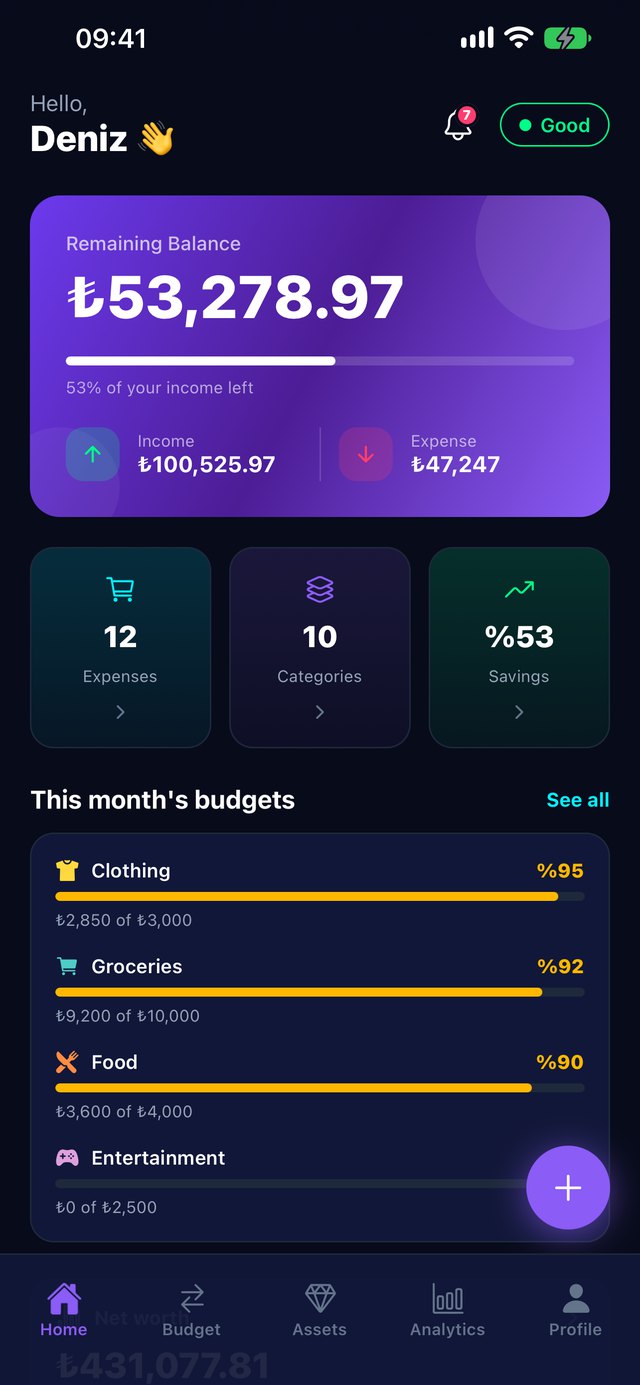
Entering records is quick, reports are clear. ADES does the math.
Recurring payments, due dates and reminders. Mark items paid or received and know where the month ends.
Set monthly limits for groceries, bills or fun. We warn you at 80% and when you go over.
Add installment purchases and loans; see which payment you are on and what is left.
Cash, bank and card balances plus debts and receivables — your net worth on one screen.
Gold coins and grams, 14 currencies and crypto. Valued at bid prices, realistically.
A holiday, a car, an emergency fund… Choose how much to set aside and see when you will get there.
50/30/20 rule, subscription check, financial health score. Compare past months in today's money.
Summaries of any period by category and month — for your accountant or yourself.
Installment purchases, gold coins and grams, buy/sell exchange rates and inflation comparison. Foreign-currency income is converted at that month's rate.
Your data travels encrypted and is stored on servers in Europe. Ads in the free version never see your financial records; Premium has no ads. Delete your account in one tap.
Add records offline; they sync automatically when you are back online. Home and lock screen widgets keep your balance in sight.
Yes, you start for free. The free plan includes 3 income and 3 expense records per month, up to 7 by watching short ads, with at most 15 of each kept in your account. 2 assets and 1 goal are free too, and ads unlock 2 more assets and 1 more goal. Unlimited records and advanced features are in Premium.
No. ADES never asks for your bank login; you enter your records yourself, so it has no access to any bank.
Data travels encrypted and is stored on servers in Frankfurt, Germany; every user can only see their own data. You can lock the app with Face ID.
Yes. Your records are also kept on your device; anything you add offline is sent automatically when you reconnect.
Exchange rates come from the Central Bank of the Republic of Türkiye, gold and crypto prices from market sources. Income uses the buying rate and expenses the selling rate. Prices are for information only.
The free version shows a small banner at the end of the Home and Records lists, and an occasional full-screen ad may appear when switching tabs (at least 4 minutes apart); there are no ads at all in your first 3 days. You can choose to watch an ad for extra entries or 24 hours of Premium. Premium users see no ads, and your financial records are never shared with ad partners.
iPhone Settings > [your name] > Subscriptions > ADES Budget > Cancel Subscription. Premium stays active until the end of the paid period.
In the app: Profile > Security and privacy > Delete account. All records and photos are permanently deleted.